
550+ Students Placed Every Month Be The Next!





















Our Hiring Partners

Curriculam Designed By Experts
Expertly designed curriculum for future-ready professionals.
Industry Oriented Curriculum
An exhaustive curriculum designed by our industry experts which will help you to get placed in your dream IT company
-
30+ Case Studies & Projects
-
9+ Engaging Projects
-
10+ Years Of Experience
Primavera P6 Training Projects
Become a Primavera P6 Expert With Practical and Engaging Projects.
- Practice essential Tools
- Designed by Industry experts
- Get Real-world Experience
Construction Project Planning
Develop a construction project schedule with activities, dependencies, milestones, and timelines to gain practical experience with Primavera P6 planning.
Schedule Progress Tracking
Update project activities, monitor completion status, and compare planned schedules with actual progress to understand effective project tracking.
Critical Path Analysis
Identify critical activities, calculate project float, and analyze scheduling dependencies to understand how delays can affect overall project completion.
Construction Schedule
Create a detailed construction schedule with WBS, activities, dependencies, milestones, and timelines to improve project planning and monitoring.
Resource Leveling
Assign labor, equipment, and other resources to project activities while identifying overallocations and improving resource utilization.
Baseline & Progress Analysis
Create project baselines, update activity progress, and compare planned schedules with actual performance to identify delays and schedule variations.
Schedule Optimization
Optimize complex project schedules by analyzing resource constraints, activity dependencies, critical paths, and workload distribution across projects.
Multi-Project Control
Coordinate multiple projects using shared resources, scheduling priorities, progress tracking, and consolidated project reporting.
Performance Reporting
Create detailed project reports and performance dashboards to analyze schedules, costs, resources, progress, and overall project performance.
Career Support


Placement Assistance

Exclusive access to ACTE Job portal

Mock Interview Preparation

1 on 1 Career Mentoring Sessions

Career Oriented Sessions

Resume & LinkedIn Profile Building
Key Features

Practical Training

Global Certifications

Flexible Timing

Trainer Support

Study Material

Placement Support

Mock Interviews

Resume Building
Upcoming Batches
What's included

 Free Aptitude and
Technical Skills Training
Free Aptitude and
Technical Skills Training
- Learn basic maths and logical thinking to solve problems easily.
- Understand simple coding and technical concepts step by step.
- Get ready for exams and interviews with regular practice.

 Hands-On Projects
- Work on real-time projects to apply what you learn.
- Build mini apps and tools daily to enhance your coding skills.
- Gain practical experience just like in real jobs.

 AI Powered Self
Interview Practice Portal
AI Powered Self
Interview Practice Portal
- Practice interview questions with instant AI feedback.
- Improve your answers by speaking and reviewing them.
- Build confidence with real-time mock interview sessions.

 Interview Preparation
For Freshers
Interview Preparation
For Freshers
- Practice company-based interview questions.
- Take online assessment tests to crack interviews
- Practice confidently with real-world interview and project-based questions.

 LMS Online Learning
Platform
LMS Online Learning
Platform
- Explore expert trainer videos and documents to boost your learning.
- Study anytime with on-demand videos and detailed documents.
- Quickly find topics with organized learning materials.
- Learning strategies that are appropriate and tailored to your company's requirements.
- Live projects guided by instructors are a characteristic of the virtual learning environment.
- The curriculum includes of full-day lectures, practical exercises, and case studies.

Primavera P6 Course Overview
Benefits of Primavera P6 Course Institute in Anna Nagar
Learners develop practical skills for project planning, scheduling, resource management, cost control, progress tracking, and project monitoring. The Primavera P6 Course covers essential tools and concepts such as Primavera P6, EPS, OBS, WBS, activities, calendars, resources, baselines, critical path analysis, and project reporting. Learners gain hands-on experience creating project schedules, defining activity relationships, assigning resources, setting milestones, updating progress, and analyzing project performance. Practical exercises and real-time projects help participants understand schedule preparation, resource planning, baseline comparison, delay analysis, and project control workflows.
Build Skills Through Practical Primavera P6 Offline Training in Anna Nagar
The Training provides hands-on learning through practical project schedules, real-world projects, and industry-focused exercises that help students understand how professional planners approach project requirements. Learners work with different project schedules to practice WBS creation, activity planning, sequencing, resource allocation, cost tracking, progress updating, critical path analysis, and reporting. The Primavera P6 Training also provides exposure to industry-relevant tools such as Primavera P6, Calendars, Resources, Baselines, and Project Reports. Through project-based learning, students can develop schedules, analyze project timelines, track milestones, identify delays, and present project performance information.
Explore Tools Used in Primavera P6 Internship Program
Primavera P6 Professional: Learners use Primavera P6 Trainers to create project schedules, organize activities, define relationships, assign resources, and monitor project. This tool helps develop practical skills for planning and managing complex project schedules.
EPS, OBS and WBS: Students learn to structure projects using Enterprise Project Structure, Organizational Breakdown Structure, and Work Breakdown Structure. Practical exercises help learners organize projects, define responsibilities, divide work packages, and manage project activities effectively.
Resources and Calendars: Learners assign labor, equipment, and other resources while configuring project and activity calendars. They practice monitoring resource availability, working schedules, resource requirements, and utilization across different project activities.
Baselines and Critical Path: Students work with baselines and critical path analysis to compare planned schedules, monitor project performance, identify critical activities, and analyze schedule variations. These features help learners understand project timelines and potential delays.
Scheduling Techniques: Learners practice activity sequencing, dependency management, schedule updates, milestone monitoring, and project reporting. These activities help them understand the complete process of developing and controlling project schedules.
Prepare for Industry Demand with Primavera P6 Certification Course in Anna Nagar
The Projects supports career development through internship opportunities, practical industry exposure, certification guidance, interview preparation, and placement assistance. Learners can gain experience with project schedules, planning requirements, resource allocation, and professional workflows through practical training activities. The Primavera P6 Projects also helps students strengthen their knowledge of essential planning concepts and project scheduling tools while working on guided projects. Career support may include resume preparation, mock interviews, project presentation practice, job updates, and interview guidance. These activities help learners build confidence and develop a professional project portfolio.
Primavera P6 Placement Course and Career Scope
Practical Projects: Learners work on projects involving construction scheduling, infrastructure planning, EPC projects, resource management, project delay analysis, baseline comparison, and project controls to develop hands-on planning experience.
Portfolio Development: Students create practical case studies covering project schedules, WBS structures, resources, costs, baselines, progress updates, and critical path analysis. Primavera P6 projects can be organized into a professional portfolio to demonstrate their planning abilities.
Career Opportunities: Primavera P6 skills can be applied across industries involved in construction, infrastructure, engineering, oil and gas, and project management. Learners can explore roles such as, Project Scheduler, Planning Engineer, Project Controls Engineer, and Construction Planner.
Internship Experience: Internship opportunities can provide learners with practical exposure to project schedules, resource allocation, progress tracking, reporting, and workplace processes. This experience helps connect classroom learning with real-world project activities.
Interview Preparation: Career preparation may include resume guidance, mock interviews, project discussions, and interview exercises. These activities help learners explain their projects clearly and prepare for project planning and scheduling recruitment opportunities.
Career Opportunities After Primavera P6
Project Controls Engineer
Supports project planning, cost monitoring, schedule control, and performance tracking. Uses Primavera P6 to identify deviations and provide timely, accurate, actionable project status insights.
Schedule Analyst
Reviews project schedules, identifies critical activities, and analyzes schedule performance. Helps teams improve timelines through progress updates, forecasting, and schedule optimization.
Project Planning Consultant
Advises organizations on project planning, scheduling, resource allocation, and timeline management. Applies Primavera P6 techniques to support efficient, timely, successful project execution.
Cost & Schedule Engineer
Combines cost and schedule information to evaluate project performance. Tracks budgets, timelines, resource usage, and variations to support effective, strategic project control.
Project Risk Analyst
Identifies schedule and execution risks across project activities. Analyzes potential delays and dependencies to support proactive risk mitigation planning and improve overall project delivery performance.
Project Performance Analyst
Evaluates project progress using schedule, resource, and performance data. Prepares actionable reports that help project teams improve timelines and overall operational efficiency and performance.
Skill to Master
Project Scheduling
Work Breakdown Structure (WBS) Creation
Critical Path Method (CPM) Analysis
Resource Allocation & Leveling
Baseline Management
Schedule Risk Analysis
Earned Value Management (EVM)
Primavera Reporting Techniques
Activity Relationship Management
Calendar & Constraints Setup
Project Portfolio Management
Cost Management in Primavera P6
Tools to Master
Primavera P6 Professional
Primavera P6 EPPM
Schedule Comparison Tool
Claim Digger
Oracle BI Publisher
Global Change Tool
Layout and Filters Customization
Activity Usage Spreadsheet
Resource Usage Profile
Time-distributed Data Views
Project Thresholds & Issues Management
Progress Spotlight and Update Tools
Learn from certified professionals who are currently working.

Training by
Aruna, having 8+ yrs of experience
Specialized in: Primavera P6 functions, array formulas,project scheduling, resource allocation.
Note: Arun excels in constructing and optimizing complex formulas for advanced data analysis and manipulation. With his expertise, he can create intricate Excel formulas that streamline data analysis, enhance accuracy, improve efficiency, and support better business decision-making processes.
Premium Training at Best Price
Affordable, Quality Training for Freshers to Launch IT Careers & Land Top Placements.
What Makes ACTE Training Different?
Feature
ACTE Technologies
Other Institutes
Affordable Fees
Competitive Pricing With Flexible Payment Options.
Higher Fees With Limited Payment Options.
Industry Experts
Well Experienced Trainer From a Relevant Field With Practical Training
Theoretical Class With Limited Practical
Updated Syllabus
Updated and Industry-relevant Course Curriculum With Hands-on Learning.
Outdated Curriculum With Limited Practical Training.
Hands-on projects
Real-world Projects With Live Case Studies and Collaboration With Companies.
Basic Projects With Limited Real-world Application.
Certification
Industry-recognized Certifications With Global Validity.
Basic Certifications With Limited Recognition.
Placement Support
Strong Placement Support With Tie-ups With Top Companies and Mock Interviews.
Basic Placement Support
Industry Partnerships
Strong Ties With Top Tech Companies for Internships and Placements
No Partnerships, Limited Opportunities
Batch Size
Small Batch Sizes for Personalized Attention.
Large Batch Sizes With Limited Individual Focus.
LMS Features
Lifetime Access Course video Materials in LMS, Online Interview Practice, upload resumes in Placement Portal.
No LMS Features or Perks.
Training Support
Dedicated Mentors, 24/7 Doubt Resolution, and Personalized Guidance.
Limited Mentor Support and No After-hours Assistance.
We are proud to have participated in more than 40,000 career transfers globally.

Primavera P6 Certification

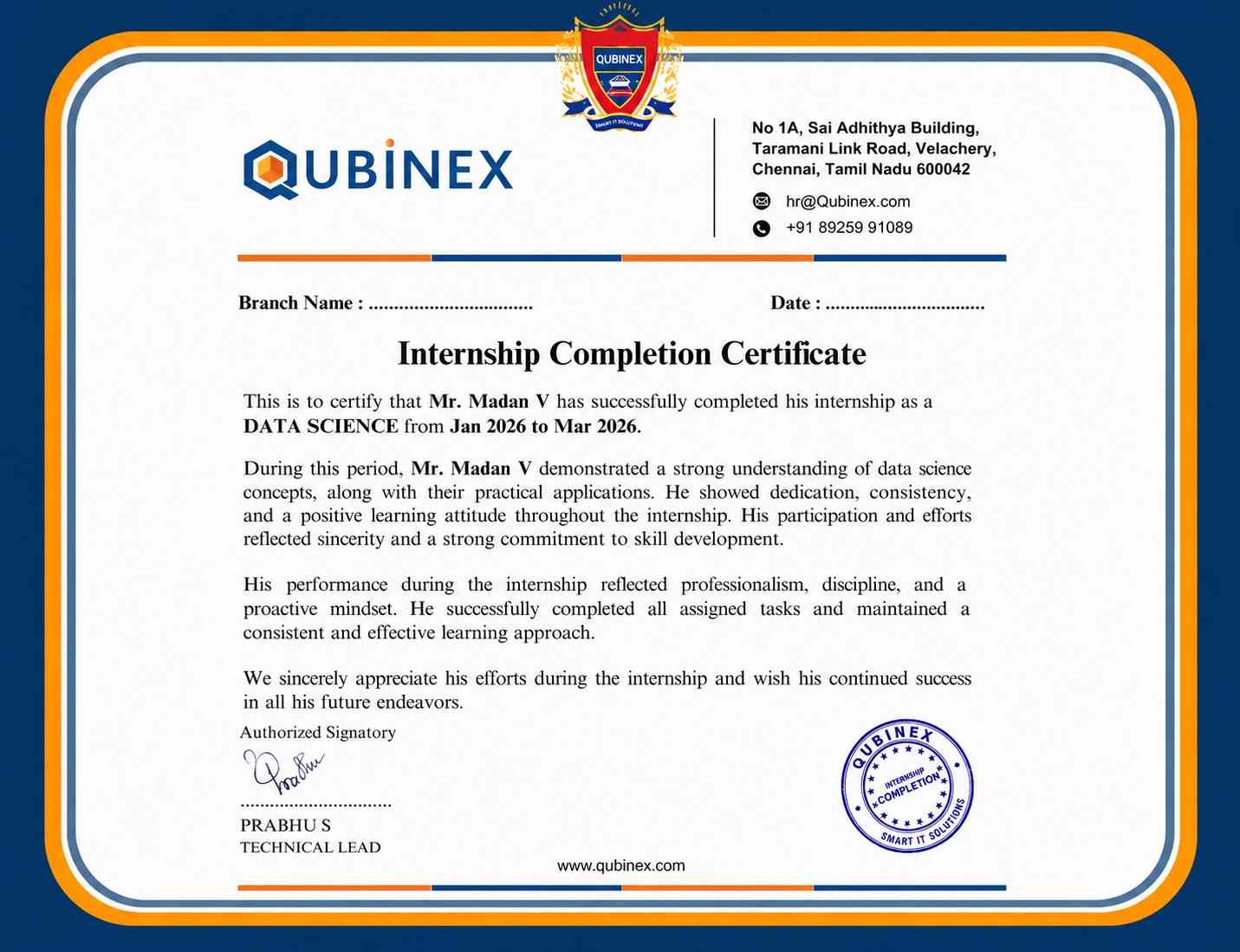
While Primavera P6 certification does not guarantee employment, it can strengthen your resume by demonstrating scheduling and project planning skills. Practical experience, technical knowledge, and interview performance also influence job opportunities.
Prerequisites may vary depending on the certification provider. Typically, candidates benefit from basic knowledge of project planning and scheduling, completion of relevant Primavera P6 training, and practical experience with project management concepts.
Yes, depending on the certification provider, Primavera P6 exams may be offered through online or remote-proctored platforms. Candidates should check the provider’s current exam format, eligibility requirements, and registration guidelines.
For professionals interested in project planning, construction, infrastructure, or IT projects, Primavera P6 can provide valuable scheduling and project control skills. Training can also support career opportunities in roles such as scheduler, and project controls professional.
Frequently Asked Questions
- Project scheduling, activity management, resource planning, baselines, critical paths, progress tracking, and project reporting are commonly covered in the training, along with practical exercises, real-world project scenarios, and industry-based case studies.
Yes, beginners can learn Primavera P6 through a structured training program. Courses generally start with project planning fundamentals before progressing to scheduling, resource management, activity tracking, and advanced project control features.
- Learn to create project schedules, organize activities, assign resources, and establish project baselines using Primavera P6.
- Develop skills to monitor project progress, analyze schedule performance, and improve overall project planning and control.
Primavera P6 is commonly used for planning and scheduling in construction, engineering, infrastructure, energy, manufacturing, and other industries that manage complex projects with multiple activities and deadlines, including large-scale infrastructure and development projects.
- Build skills for career opportunities in project planning, project controls, and schedule analysis.
- Explore construction planning roles by combining Primavera P6 expertise with relevant project management knowledge.
